The jPipe compiler is the jpipe command-line tool: it parses .jd files, validates them, and
renders diagrams. Install it first, whether you plan to live in VS Code or in a terminal: it is
what actually turns a model into a picture, and the editor and your CI both call it.
Use a package manager (Homebrew, APT or Scoop, below). Each of our packages declares Java 25 and Graphviz as dependencies and runs the compiler against the exact Java it installed, so one command leaves you with a toolchain that works. The manual JAR route works too, but you install and manage those prerequisites yourself.
🍎 macOS (Homebrew)
We ship jPipe for macOS through Homebrew, in the McSCert tap
(jpipe-mcscert/homebrew-mcscert). With
Homebrew installed, tap that repository and install:
$ brew tap jpipe-mcscert/mcscert
$ brew install jpipe
🐧 Linux (APT)
We build packages for the Ubuntu releases in active support, following our release-target policy: every LTS from 24.04 (Noble) onward while it stays in standard support, plus any interim release still inside its 9-month support window. Add the McSCert Personal Package Archive (PPA):
$ sudo add-apt-repository ppa:mcscert/ppa
$ sudo apt update
$ sudo apt install jpipe
Troubleshooting
- If you see
add-apt-repository: command not found, install the prerequisites:$ sudo apt update $ sudo apt install software-properties-common - If you see
Depends: openjdk-25-jre but it is not installable, your distribution doesn’t ship Java 25 by default; add the OpenJDK 25 PPA to satisfy the requirement.
🪟 Windows (Scoop)
We ship jPipe for Windows through Scoop, in the McSCert bucket
(jpipe-mcscert/scoop-mcscert). With Scoop
installed, open a PowerShell prompt and run:
PS> scoop install git
PS> scoop bucket add java
PS> scoop bucket add mcscert https://github.com/jpipe-mcscert/scoop-mcscert
PS> scoop install mcscert/jpipe
All four steps are required:
git:scoop bucket addclones the bucket repository, so Scoop refuses to add a bucket without it.- the
javabucket: jPipe depends onjava/temurin25-jre, and Scoop resolves dependencies only against buckets you have already added. It will not add a missing one for you, and the install fails ifjavais absent. Graphviz comes frommain, which Scoop adds by default, so it needs no equivalent step.
Troubleshooting
- Comfortable with Windows Subsystem for Linux? The APT route above works unchanged
inside your WSL distribution, but the resulting
jpipeis a Linux binary, visible to WSL only. You will have to configure your IDE to connect to WSL to access the executable.
☕️ Manual installation (JAR)
Prefer not to use a package manager? Run jPipe as a JAR.
Prerequisites (both on your $PATH):
- Java 25 (LTS): Eclipse Temurin 25, the same runtime our packages depend on
- Graphviz: https://www.graphviz.org/download/
From an official release
- Open the jPipe Compiler releases page.
-
Download
jpipe-cli-<VERSION>.jarfrom the Assets of the latest release.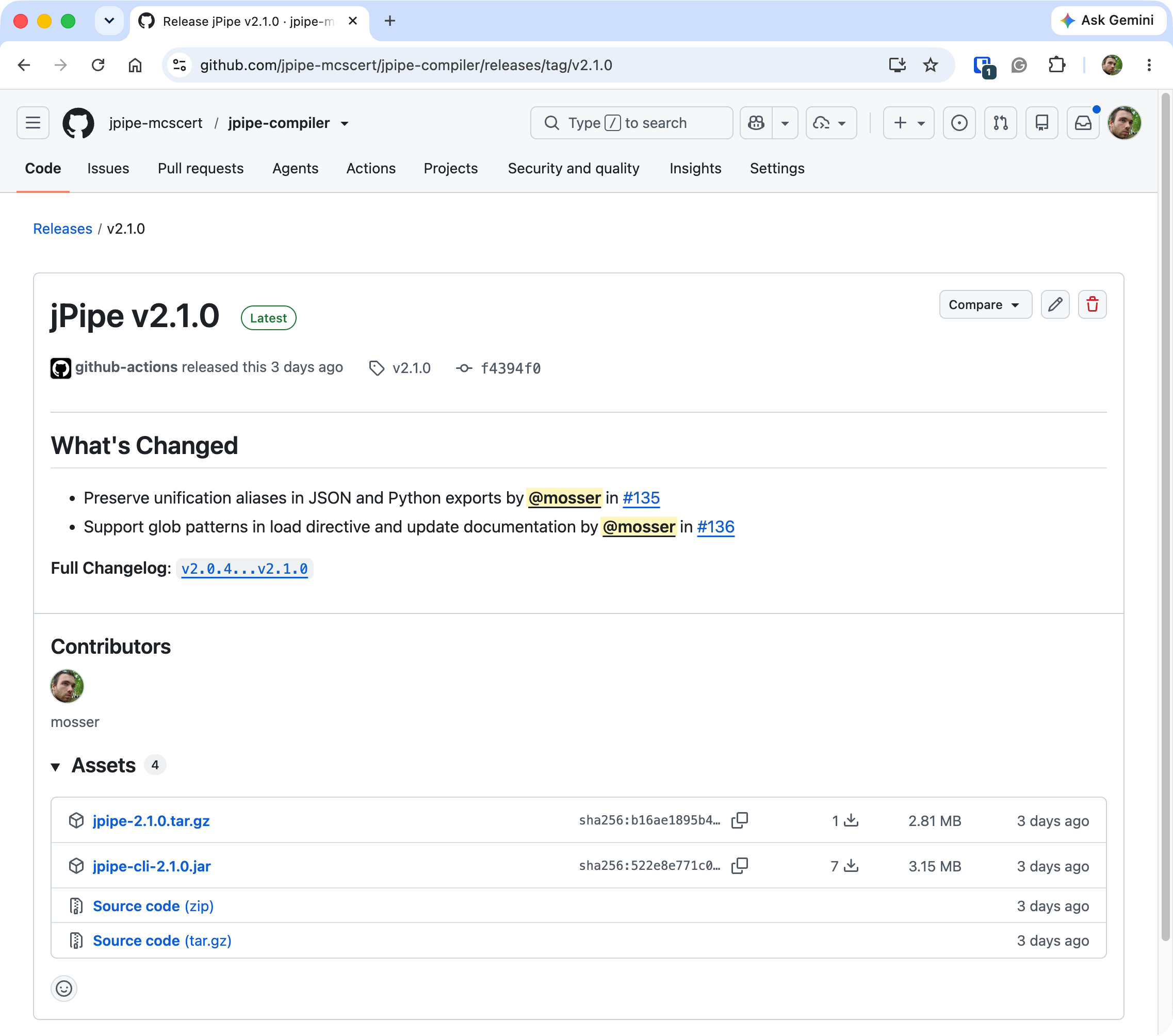
- Move it somewhere on your machine (e.g.
~/bin). - Add an alias to your shell profile (
.zshrcor.bashrc):alias jpipe='java -jar ~/bin/jpipe.jar'
From source
$ git clone https://github.com/jpipe-mcscert/jpipe-compiler.git
$ cd jpipe-compiler
jpipe-compiler $ mvn install
The fat JAR is produced at jpipe-cli/target/jpipe-cli-<VERSION>.jar; alias it as above.
🩺 Verify your installation
jpipe doctor confirms the compiler starts and can reach Graphviz:
$ jpipe doctor
McMaster University - McSCert (c) 2023-...
    _   ___ _
   (_) / _ (_)_ __   ___
   | |/ /_)/ | '_ \ / _ \
   | / ___/| | |_) |  __/
  _/ \/    |_| .__/ \___|
 |__/        |_|

jPipe 2.1.0
Checking external tools:
  dot (Graphviz): OK
Next steps
- Install the IDE: the extension looks for a
jpipeon yourPATHby default, so it picks up the compiler you just installed with nothing to configure. - Write your first justification → jPipe 101
- Install the Runner to make justifications executable.