A justification is a snapshot of a decision: at the moment you wrote it, every claim held. But code, dependencies, and documents keep moving, and a fact you validated long ago can quietly stop being true. That is decision drift: the argument still looks fine on the page, yet one of its claims no longer holds, and the conclusion it once supported is now in jeopardy with nobody noticing.
The cure is to stop trusting the drawing and re-check the argument against reality, automatically. jPipe ships a GitHub Action that runs the Runner in your pipeline, so the whole justification is re-validated whenever you ask, and a drifted claim surfaces as a failed check instead of a silent lie.
This builds on the Runner tutorial: commit its compiled model
(run/release.jd.json) and step library (run/release_lib.py) to the repository.
The workflow
Create .github/workflows/jpipe.yml. Any regular GitHub Actions trigger works here, a push, a
pull_request, a schedule, so the justification can be re-validated on whatever event matters to you
(we wire those up at the end). For this demonstration, though, we trigger
it by hand with workflow_dispatch. One input, the version the changelog announces, stands in for
the state of your changelog, so you can reproduce a stale one and then fix it:
name: Justify the release

on:
  workflow_dispatch:
    inputs:
      changelog_version:
        description: "Version the changelog announces (1.9 is stale, 2.0 matches the release)"
        default: "1.9"

jobs:
  justify:
    runs-on: ubuntu-latest
    steps:
      - name: Checkout repository
        uses: actions/checkout@v7

      - name: Prepare the mock evidence
        env:
          CHANGELOG_VERSION: ${{ inputs.changelog_version }}
        run: |
          mkdir -p mock
          touch mock/tests.ok
          echo "## $CHANGELOG_VERSION" > mock/CHANGELOG.md

      - name: Run the jPipe justification
        uses: jpipe-mcscert/jpipe-runner@v3.5.3
        with:
          jd_file: "run/release.jd.json"
          library: |
            run/release_lib.py
          github-token: ${{ secrets.GITHUB_TOKEN }}
The workflow’s real work is its last step: it runs the jPipe action, which installs the runner,
executes your justification against its step library, and re-checks every claim against the
repository. If any claim fails, the job fails; either way, the coloured diagram is uploaded as a build
artifact you can inspect. It reads the model and step library you committed (jd_file and
library). The github-token is nothing you manage: GitHub fills
${{ secrets.GITHUB_TOKEN }} in automatically on every run, and it is only there
so the action can write that artifact back.
Everything else exists only for this demonstration. The workflow_dispatch input lets you choose
the version the changelog announces, and the middle step fabricates the mock/ evidence from it,
writing a mock/CHANGELOG.md and a mock/tests.ok marker. In a real
project you would delete that step: the changelog and test results already live in the repository,
and the action checks them as they are.
A stale changelog fails the build
Picture the everyday slip: you cut the 2.0 release and commit the code, but forget to update the
changelog, so it still announces the previous version. Push the workflow, open the repository’s
Actions tab, choose Justify the release, click Run workflow, and launch it with
changelog_version on its stale 1.9. The changelog the step writes never mentions 2.0, the claim
that the release is ready is no longer backed by evidence, and the run finishes red:
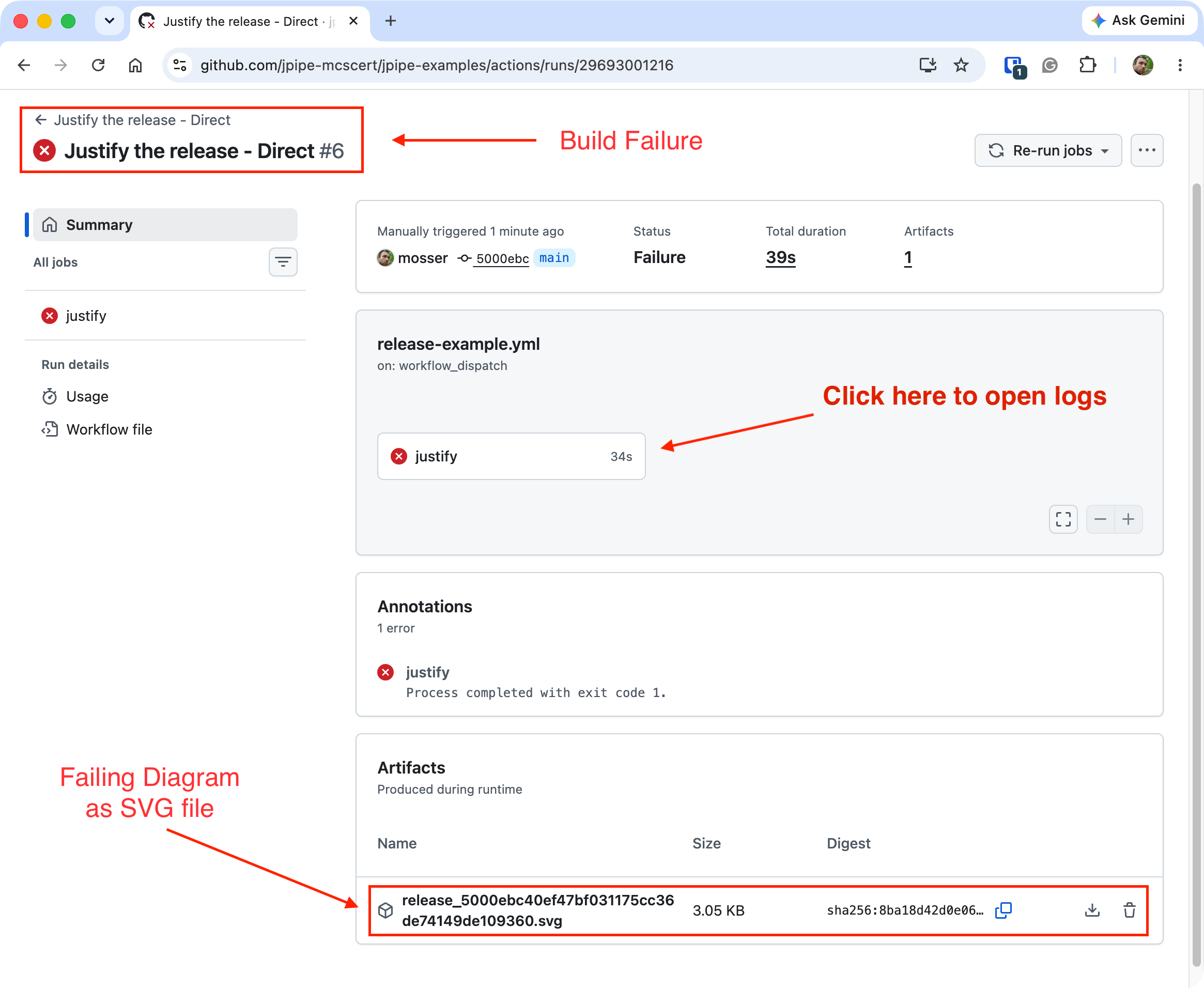
GitHub marks the whole run a Failure: the justify job exits with code 1, and the coloured
diagram is still uploaded as a build artifact. But the summary only tells you that the argument
broke, not which claim.
Reading the failure
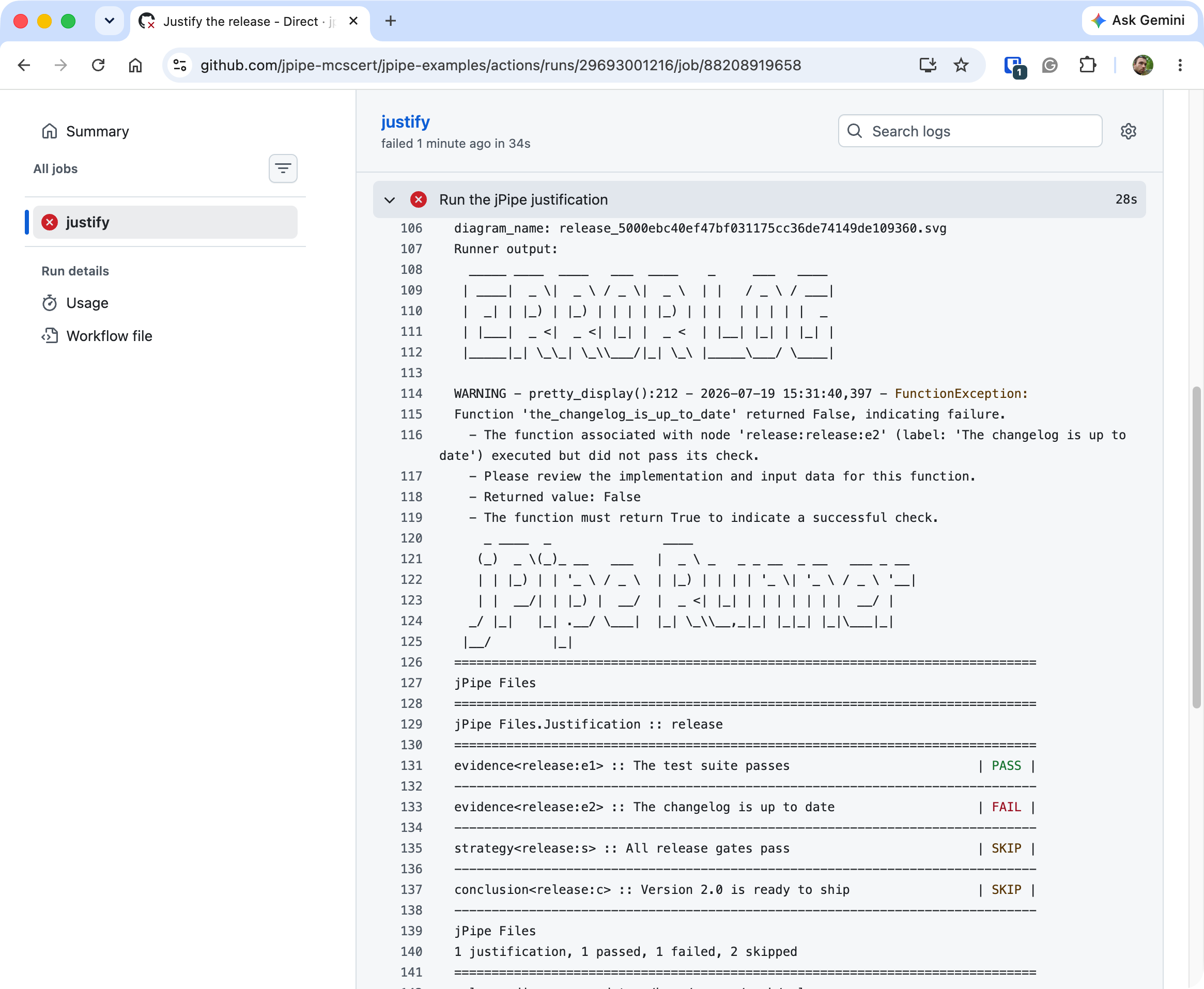
Click the failed justify job to open its logs. The runner prints the same report you saw locally,
and it points straight at the broken claim: “The changelog is up to date” (release:e2) failed,
so the strategy and the conclusion above it are skipped:
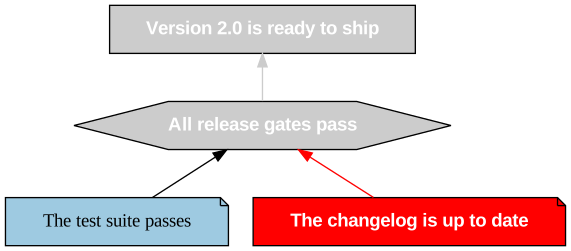
The diagram saved with the run says the same thing at a glance, the failing evidence in red and everything that rested on it greyed out:
Fixing the drift
The fix is exactly what the argument asked for: update the changelog to name the release you are
shipping. Run the workflow again, this time with changelog_version set to 2.0. The evidence holds,
every gate passes, and the run goes green:
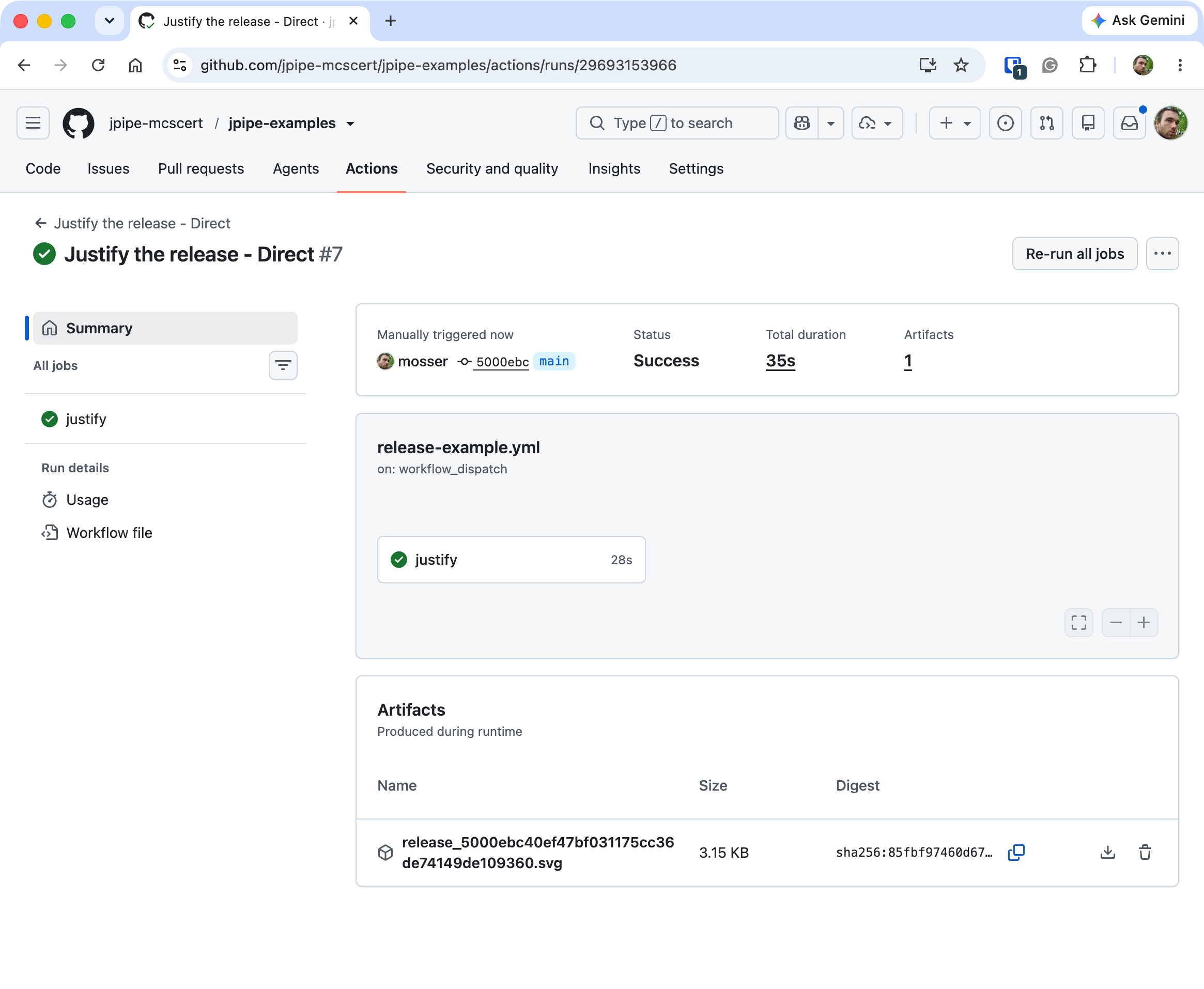
That round trip, a red build, one glance at the log, a one-line fix, then a green build, is the whole point: the pipeline turned a silent decision drift into a loud, actionable failure.
From demo to guardrail
Delete the mock-writing step and trigger on real changes to turn this into a standing guardrail:
on:
  pull_request:
    branches: [main]
  push:
    branches: [main]
Now every push and pull request re-validates the whole justification against the actual repository. A drifted claim turns the check red, exactly the failure you triggered by hand, now caught automatically on every change.
Where to next?
- Pull request integration posts the coloured diagram right on the pull request, so reviewers read the argument’s live status where the change is discussed.
- Make the argument itself more reusable with templates and the composition operators (assemble, refine).
Full action reference: jpipe-runner/docs/ACTION.md.